Quick Guide
- Install and launch JUMANJI: The Video Game from your Steam library.
- Choose from four iconic heroes, each with unique abilities for co-op play.
- Work together with up to three friends or AI to recover the Jewels of Jumanji.
- Utilize projectiles, melee attacks, and cover to overcome enemies and traps.
- Play in online co-op, split-screen, or solo with AI teammates.
Embarking on Your Jumanji Adventure on Steam
Welcome to the jungle! If you're looking to dive into the action-packed world of JUMANJI: The Video Game on PC, understanding the first-session flow, controls, team roles, and objectives is key to a successful adventure. This guide will help you quickly grasp how to play Jumanji on Steam, ensuring you're ready to face its challenges from the moment you launch the game.
JUMANJI: The Video Game, developed by Funsolve LTD and published by Outright Games Ltd., brings the iconic movie franchise to life as a cooperative action-adventure. Released on November 8, 2019, it's designed for players who want to team up and overcome treacherous environments and dangerous foes.
Getting Started: First-Session Flow on Steam
Your journey into Jumanji begins with the game's installation and initial setup. First, ensure you've purchased and installed JUMANJI: The Video Game through the Steam client. Once installed, simply click "Play" from your Steam library. The game will launch, typically starting with an introductory sequence before presenting you with the main menu.
From here, you'll select your preferred game mode and character. The game supports single-player with AI teammates, as well as online and local split-screen co-op, allowing you to unite with friends.
System Requirements for Your Adventure
To ensure a smooth experience, confirm your PC meets the game's specifications:
Minimum:
- OS: Windows 7/8/10 (64-bit)
- Processor: Intel Core 2 Quad Q6600 (2.4 GHz) or AMD equivalent
- Memory: 4 GB RAM
- Graphics: GeForce GT 430 (1024 MB) / Radeon HD 6850 (1024 MB)
- DirectX: Version 9.0
- Storage: 3 GB available space
Recommended:
- OS: Windows 10 (64-bit)
- Processor: Intel i5, 4 x 2.6 GHz or AMD equivalent
- Memory: 4 GB RAM
- DirectX: Version 11
- Storage: 5 GB available space
Steam Deck compatibility for JUMANJI: The Video Game is currently listed as "Unknown."
Choosing Your Hero: Team Roles and Abilities
A core aspect of how to play Jumanji on Steam involves selecting one of the four iconic movie heroes, each possessing unique abilities that are crucial for success. You can choose to play as:
- Dr. Smolder Bravestone
- Ruby Roundhouse
- Franklin “Mouse” Finbar
- Professor Shelly Oberon
In both online and split-screen co-op modes, you and up to three teammates will combine your unique skills to navigate the dangerous environments. Coordinating your attacks and supporting one another is vital to stay alive and achieve your objectives. Mysterious powers can also influence the game, adding another layer of strategic decision-making to your team composition.
Experiment with different hero combinations.
Each character brings unique strengths to the team. Try various lineups with your friends or AI companions to find what works best for overcoming specific challenges and enemies.
Mastering the Jungle: Controls and Gameplay Mindset
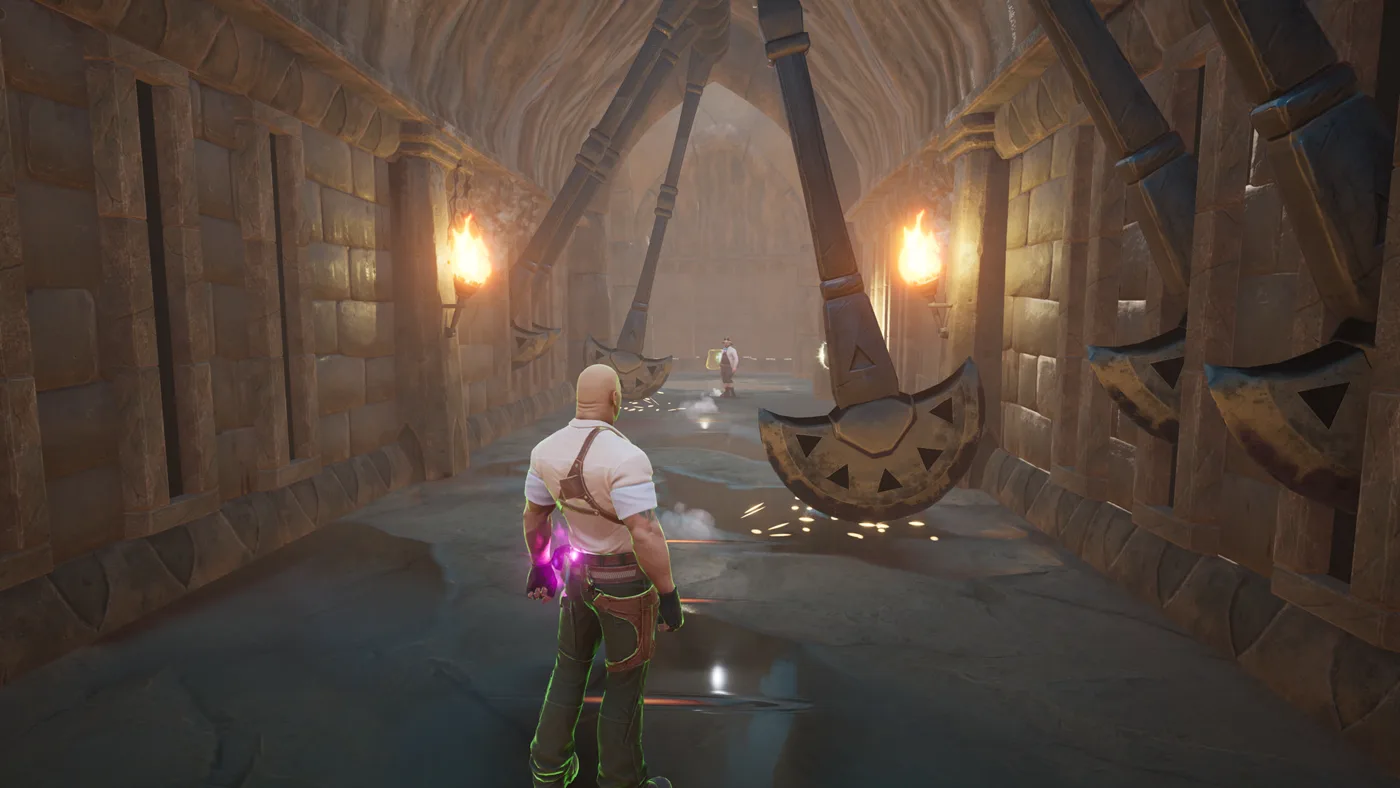
The gameplay in JUMANJI: The Video Game is an action-packed 3D adventure focused on survival and cooperation. Your primary goal is to survive deadly traps and defeat enemies using a combination of tactics. The general controls mindset involves:
- Combat: Engaging foes with projectiles and melee attacks.
- Defense: Using cover to avoid incoming fire from enemies.
- Agility: Escaping traps at the last second.
As you progress, you'll hone your skills and strategies. The game also offers unlockable new outfits and weapon styles, ensuring that no two rounds of Jumanji feel exactly the same as you continue to test your abilities and friendships.
Core Objectives: Saving Jumanji
The overarching objective in JUMANJI: The Video Game is clear: you and your team must recover the precious Jewels of Jumanji and return them to their sacred statues. This quest will take you through a "deadly array of exotic creatures and dangerous locations, plus an army of evil marauders." The jungle awaits, alongside new environments such as Mount Doom, Bizarre Bazaar, and Night Pursuit.
To succeed, you must:
- Defeat Enemies: Battle an army of marauders and exotic creatures.
- Survive Traps: Navigate dangerous environments filled with deadly traps.
- Coordinate: Work together to keep each other alive and combine your heroes' unique abilities.
Whether playing with friends online, in local split-screen, or alongside AI teammates, your combined effort is the only way to tame the game and find a way home. For more details and to purchase the game, visit the official JUMANJI: The Video Game Steam page.
Frequently Asked Questions
What kind of game is JUMANJI: The Video Game on Steam?
JUMANJI: The Video Game is an action-adventure game with a strong focus on cooperative multiplayer. It features third-person combat, exploration, and puzzle elements inspired by the Jumanji film franchise.
Can I play JUMANJI: The Video Game with friends?
Yes, you can! The game supports online co-op with up to three friends, as well as local shared/split-screen co-op. You can also play solo with AI teammates.
What are the main objectives when I play Jumanji on Steam?
Your primary goal is to recover the precious Jewels of Jumanji and return them to their sacred statues. This involves surviving various dangerous environments, defeating enemies, and overcoming deadly traps as a team.
Are there different characters to choose from in the game?
Yes, you can play as the movie heroes: Dr. Smolder Bravestone, Ruby Roundhouse, Franklin “Mouse” Finbar, or Professor Shelly Oberon, each with their own unique abilities.